
самолет/Eksperyment
-
Постов
148 -
Зарегистрирован
-
Посещение
Тип контента
Загрузки
Форумы
Статьи и объявления
Гардероб
Маунты
Сообщения Allods Team
Магазин
Галерея
Весь контент самолет/Eksperyment
-
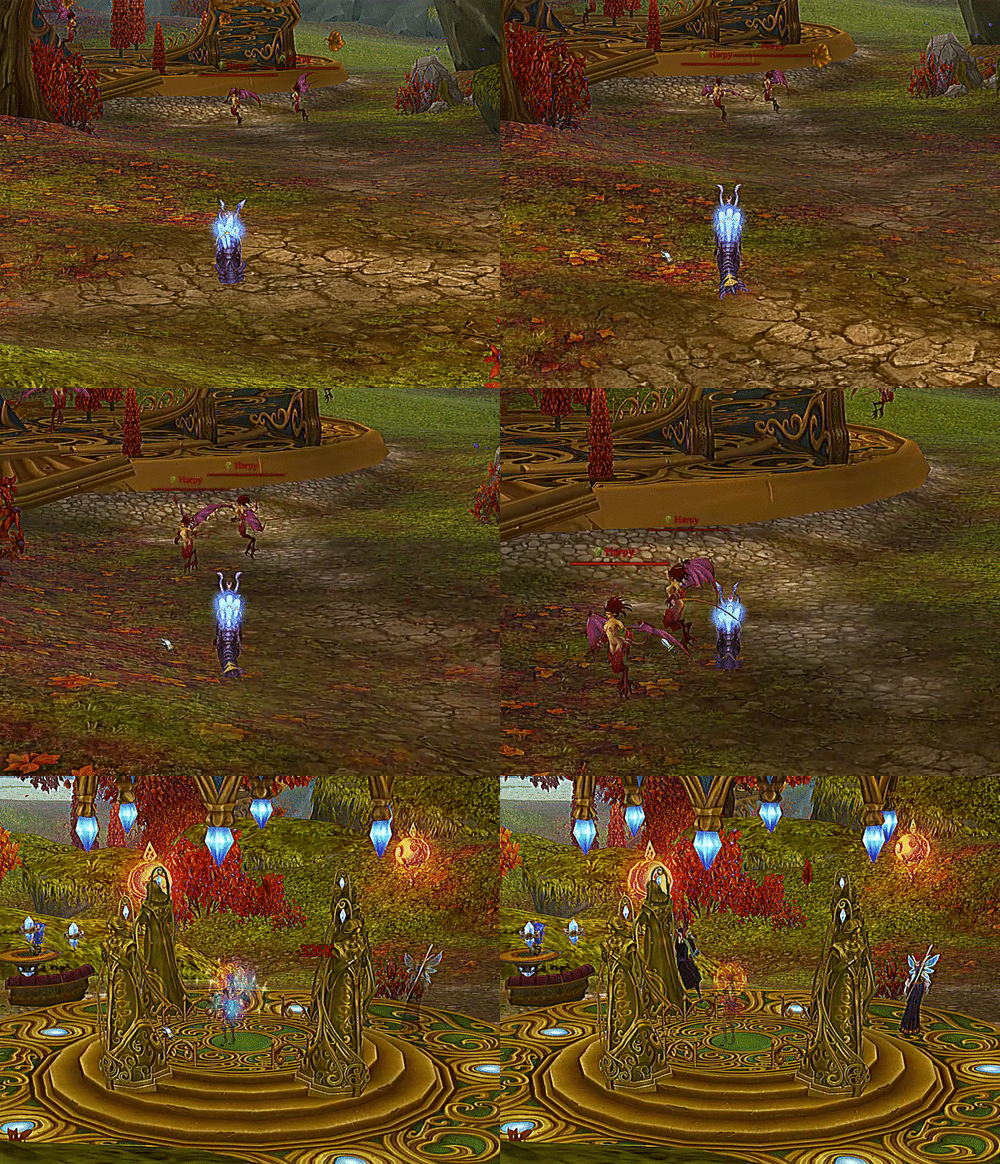
Back to Life Просмотр файла Desktop_230101_1029.mp4 Ускорьте свое воскрешение! Больше не нужно ходить к гоблину! Просто кричите и бросайте в него мирру! Войдите в настройки, нажав кнопка. Первый вариант: Мгновенно покинуть чистилище после принятия респауна. Не забудьте запастись миррой! Второй вариант: Мгновенно воскресать, если вы находитесь вне боя, когда умираете. Это сработает только в момент смерти. Если бой закончится позже, вам придется принять себя! Щелчок правой кнопкой мыши также активирует или отключить все настройки. Speed up your resurrection! No more walking to the goblin! Just shout and throw mirra at him! Access settings by clicking button. First option: Instantly leave purgatory after accepting respawn. Remember to keep a stockpile of mirra! Second option: Instantly resurrect if you are out of combat when dying. It will only work at the time of death. If combat ends later you have to accept yourself! Right clicking the button will also enable or disable all settings. Добавил самолет/Eksperyment Добавлено 01.01.2023 Категория Аддоны
-
Версия 3
5 586 раз скачали
Desktop_230101_1029.mp4 Ускорьте свое воскрешение! Больше не нужно ходить к гоблину! Просто кричите и бросайте в него мирру! Войдите в настройки, нажав кнопка. Первый вариант: Мгновенно покинуть чистилище после принятия респауна. Не забудьте запастись миррой! Второй вариант: Мгновенно воскресать, если вы находитесь вне боя, когда умираете. Это сработает только в момент смерти. Если бой закончится позже, вам придется принять себя! Щелчок правой кнопкой мыши также активирует или отключить все настройки. Speed up your resurrection! No more walking to the goblin! Just shout and throw mirra at him! Access settings by clicking button. First option: Instantly leave purgatory after accepting respawn. Remember to keep a stockpile of mirra! Second option: Instantly resurrect if you are out of combat when dying. It will only work at the time of death. If combat ends later you have to accept yourself! Right clicking the button will also enable or disable all settings.Бесплатный -
Should be fixed, sorry for trouble
-
That's what I used in BagStorageSearch -- to get item name local itemId = depositeBox.GetItemId(slotIndex) local itemName = userMods.FromWString(itemLib.GetName( itemId )) -- if you want slot with searched name to flash for 1 sec function editLineChangedBank() --ChatLog("EditLineChangedBank") local slotCount = depositeBox.GetSlotCount() local currText = cyryllicToLatin(getTextString(searchPanelBankEditLine, "ItemToFindText")) --ChatLog(currText) local currTextUpper = string.upper(currText) if currText ~= "" then for slotIndex = 0, slotCount - 1 do local itemId = depositeBox.GetItemId(slotIndex) if itemId then local uppercasedItemName = cyryllicToLatin(userMods.FromWString(itemLib.GetName( itemId ):ToUpper())) local look = string.find(uppercasedItemName, currTextUpper) --ChatLog(look) if look ~= nil then local widget = BankContainer:At(0):GetNamedChildren()[math.floor(math.abs(slotIndex/12))]:GetNamedChildren()[slotIndex%12] widget:PlayFadeEffect(1.0, 0.0, 1000, EA_SYMMETRIC_FLASH) end end end end end
-
Map Transparency Просмотр файла Add-on makes map transparent on movement or at all times. Unfortunately for now settings are done only through text commands. Write /mt on chat to access full list of commands. Надстройка делает карту прозрачной при движении или в любое время. К сожалению, пока настройки выполняются только через текстовые команды. Напишите /mt в чате, чтобы получить доступ к полному списку команд. Добавил самолет/Eksperyment Добавлено 16.12.2022 Категория Аддоны
-
.thumb.png.4809b73e37d75bee5510f76d014c65aa.png)
Версия 4
655 раз скачали
Add-on makes map transparent on movement or at all times. Unfortunately for now settings are done only through text commands. Write /mt on chat to access full list of commands. Надстройка делает карту прозрачной при движении или в любое время. К сожалению, пока настройки выполняются только через текстовые команды. Напишите /mt в чате, чтобы получить доступ к полному списку команд.Бесплатный -
It's generally good idea but I think it doesn't really solve a problem with navigating through bank. To be nearly perfect I think it needs buttons that would lead to those named tabs, there could be also option to add colors to button and color background for parts of the bank. And to be even better I think it needs ability to setup custom sort that would take into account those tabs (and if you put them in bank they will land in "correct" spot Total perfection would be custom widget for whole bank, ability to split it, move around, resize etc.
-
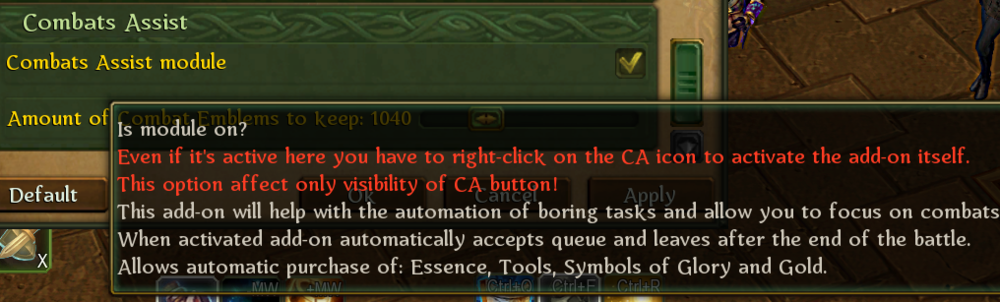
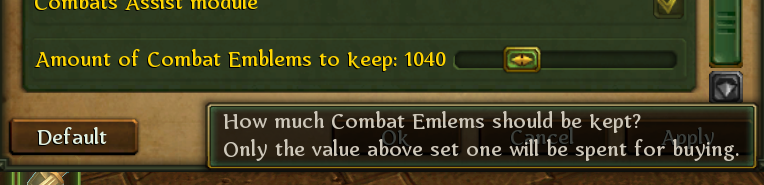
Work in progress version, as I have less motivation and way more changes to implement than I anticipated it means update might take some more time to finish. This may serve as intermediate step, especially for those missing Item Info update (Note for EU servers - Item Info requires 13.0.01.34 or higher game version to fully work). Compared to version 4: change of settings system added combats assist updated item info updated tips updated library for dnd fixed gospodstvo, it worked only on bard instead of summoner. optimised a bit and more small change I already forgot about All settings will reset! Some examples: samoletAddonPack.zip

-
Well, I will try to get onto some F2P high level character. Update to samoletAddonPack will most likely come next month. I think only Item Info and Auto Accept was outdated, I have done those already. I'm still working on including another add-on (or maybe more than one), optimizations and reworking settings system (although that change will probably take couple updates to be fully completed).
-
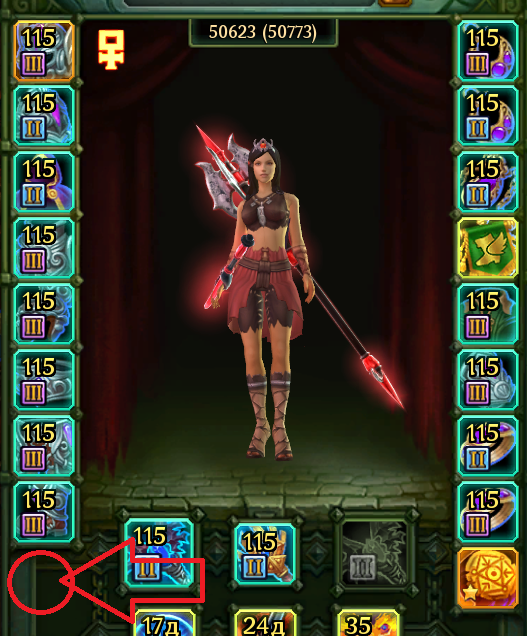
Can you send error logs? It might break because F2P has more slots than P2P, unfortunately I don't have any character to test it myself on F2P. Можете ли вы прислать журналы ошибок? Это может сломаться, потому что в F2P больше слотов, чем в P2P, к сожалению, у меня нет персонажа, чтобы проверить это на F2P.
-
It should start rounding those values to integer with version 6.1 (75 in this case). Он должен начать округлять эти значения до целого числа с версии 6.1 (75 в данном случае).
-
Hi, I'm sorry for trouble. Download version 3.3 please, whole 4.X had a problem with items of same name that weren't similar and fixes for it added up to the point where game would slow down. I couldn't fix it without big redisign and decided to return to 3.3 for now and take my time with it. Здравствуйте, прошу прощения за проблемы. Скачайте, пожалуйста, версию 3.3, у всей 4.X была проблема с одноименными предметами, которые не были похожи, и исправления для этого добавлялись до такой степени, что игра тормозила. Я не мог исправить это без большой переделки и решил пока вернуться к версии 3.3 и не торопиться с этим.
-
Although after more testing, It's better to use version 3.3 for now.
-
Ah, I see. Attached one should work. UseCoinsAmalgam.zip
-
I'm sorry to hear that, if you could send errors it sends (mods.txt, after enabling logs in-game settings) or describe what doesn't work and when. Мне очень жаль это слышать, если бы вы могли отправить ошибки, которые он отправляет (mods.txt, после включения журналов в настройках игры) или описать, что не работает и когда.
-
Would be nice if there was option to set that it would appear only when mirra level is on red. Было бы хорошо, если бы была возможность установить, что он будет отображаться только тогда, когда уровень зеркала красный.
-
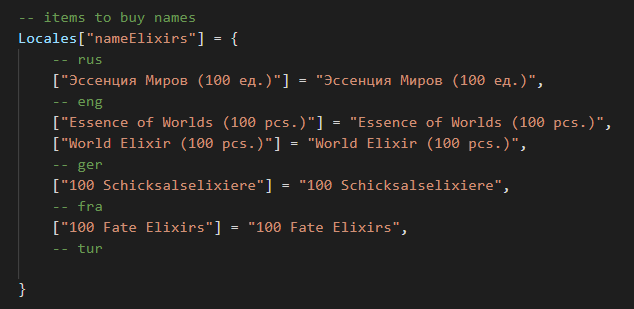
Looks like they have changed essence name, I will update it as soon as I have some time. Meanwhile you can do it yourself by editing localization.lua located in \Аллоды Онлайн\data\Mods\Addons\CombatsAssist\Locales and changing essence name to actual ingame name. Похоже, они изменили название сущности, я обновлю его, как только у меня появится время. А пока вы можете сделать это сами, отредактировав localization.lua, расположенный в \Аллоды Онлайн\data\Mods\Addons\CombatsAssist\Locales и изменив название сущности на реальное игровое имя.
-
I'm working on bigger update for the add-on, but I don't know when it will be finished.
-
Too much text to handle at once.
-
I could add option for showing %. As for disabling every add-on inside, it's tricky. Generally everything but BagStorageSearch can be turned off in settings.
- 44 ответа
-
- 1
-

-
- интерфейс
- сумка\банк и экипировка
- (и ещё 1 )
-
It's possible, mostly duplicating and changing minor parts of code but would still require some work hours. I will add it when I have more time. Это возможно, в основном с дублированием и изменением незначительных частей кода, но все равно потребует некоторого рабочего времени. Я добавлю его, когда у меня будет больше времени.
-
ChatToDiscord Просмотр файла Creates a copy of guild and world chat on discord. To make it work you have to create a webhook on discord server and put it in GuildChatWebhook.txt and WorldChatWebhook.txt (you can use separate link if you want messages posted to different channels, if you want them in same channel use same link). Add-on is not going to work by itself, using ChatToDiscord.exe located in Addons\ChatToDiscord\Application is required. Создает копию гильдийского и мирового чата на discord. Для работы дополнения необходимо создать веб-крюк на сервере discord и поместить его в GuildChatWebhook.txt и WorldChatWebhook.txt (вы можете использовать отдельные ссылки, если хотите, чтобы сообщения публиковались в разных каналах, если же вы хотите, чтобы они были в одном канале, используйте одну ссылку). Дополнение не будет работать само по себе, необходимо использовать ChatToDiscord.exe, расположенный в Addons\ChatToDiscord\Application. How to create a webhook? Open your Server Settings and head into the Integrations tab: Click the "Create Webhook" button to create a new webhook! You'll have a few options here. You can: Edit the avatar: By clicking the avatar next to the Name in the top left Choose what channel the Webhook posts to: By selecting the desired text channel in the dropdown menu. Name your Webhook: Good for distinguishing multiple webhooks for multiple different services. You now have your own handy URL to put in GuildChatWebhook.txt and WorldChatWebhook.txt. Add-on is provided with source code. Дополнение поставляется с исходным кодом. Добавил самолет/Eksperyment Добавлено 17.07.2022 Категория Аддоны
-
Версия 2
288 раз скачали
Creates a copy of guild and world chat on discord. To make it work you have to create a webhook on discord server and put it in GuildChatWebhook.txt and WorldChatWebhook.txt (you can use separate link if you want messages posted to different channels, if you want them in same channel use same link). Add-on is not going to work by itself, using ChatToDiscord.exe located in Addons\ChatToDiscord\Application is required. Создает копию гильдийского и мирового чата на discord. Для работы дополнения необходимо создать веб-крюк на сервере discord и поместить его в GuildChatWebhook.txt и WorldChatWebhook.txt (вы можете использовать отдельные ссылки, если хотите, чтобы сообщения публиковались в разных каналах, если же вы хотите, чтобы они были в одном канале, используйте одну ссылку). Дополнение не будет работать само по себе, необходимо использовать ChatToDiscord.exe, расположенный в Addons\ChatToDiscord\Application. How to create a webhook? Open your Server Settings and head into the Integrations tab: Click the "Create Webhook" button to create a new webhook! You'll have a few options here. You can: Edit the avatar: By clicking the avatar next to the Name in the top left Choose what channel the Webhook posts to: By selecting the desired text channel in the dropdown menu. Name your Webhook: Good for distinguishing multiple webhooks for multiple different services. You now have your own handy URL to put in GuildChatWebhook.txt and WorldChatWebhook.txt. Add-on is provided with source code. Дополнение поставляется с исходным кодом.Бесплатный -
You can change .pak into .zip and use windows built in unpack or winrar. https://www.7-zip.org/download.html 7-zip will just work on .pak files. You don't have to unpack it though, only if you want to modify add-on itself. Вы можете изменить .pak на .zip и использовать встроенный в windows распаковщик или winrar. https://www.7-zip.org/download.html 7-zip будет работать только с pak. Однако вам не нужно распаковывать его, только если вы хотите изменить само дополнение.
-
You are missing fonts for it. Your windows isn't in russian I presume. You have to download russian language pack. if you do this it should download and install, after restart it should work fine.